Load dataset
Open clinical or research MRS(I) data and review the relevant acquisition and processing context.
 spectrIm-QMRS
Version 3.0.3 Alpha International
spectrIm-QMRS
Version 3.0.3 Alpha International
Current release: 3.0.3 alpha international for Windows and Linux. This guide retains earlier screenshots and version-specific descriptions. Their original version labels are preserved; appearance and window placement may differ in 3.0.3. See the release notes.
New in version 3.0.1 Alpha
The automatic TDFDFit model creator provides a guided workflow for building prior knowledge fitting models from loaded MRS(I) data. It is designed to help clinicians and researchers start quantitative spectroscopy work even when a dedicated MR spectroscopist is not directly available.
Prior knowledge fitting is one of the strengths of spectrIm-QMRS, but preparing a reliable fitting model can be difficult for users who mainly work in a clinical setting. The required choices can otherwise depend on spectroscopy-specific experience, basis set preparation, and knowledge of the fitting engine.
In spectrIm-QMRS 3.0.1 Alpha, the model creator turns this setup step into a more direct application workflow. It connects the loaded dataset, basis set simulation, and TDFDFit configuration so that a user can move toward fitting and quantification with less manual setup.
The goal is not to hide the spectroscopy, but to make the first usable model easier to create, review, adapt, and apply to MRS or MRSI data.
This automatic workflow is the advised starting point for clinical users. Users with deeper NMR/MR spectroscopy knowledge can inspect or manually refine models in the expert TDFDFit modelling frame.
Open clinical or research MRS(I) data and review the relevant acquisition and processing context.
Use a simulated or existing basis set as the spectral prior knowledge for the model.
Generate a fitting model that can be inspected and adapted before quantification.
Apply the model to selected spectra or MRSI voxels using Parallel pthreads-TDFDFit CPU fitting and review the resulting fits and metabolite maps.
The automatic model creator is being extended with an ILV clinical quantification preflight step. This preflight reads the currently loaded DICOM spectroscopy dataset and derives the acquisition signature needed for quantum mechanical basis-set simulation: sequence/protocol text, echo time, number of acquired points, spectral width, resonance frequency, estimated B0 field, nucleus, and receiver carrier. This is the bridge between the clinical DICOM input and the ILV basis-set simulator.
The released version keeps this dialog available because it is a useful audit trail for experts. In the intended clinical workflow the same checks can run in a silent mode, where the user does not need to inspect the intermediate ILV steps. In expert or loud mode the dialog remains visible, so a spectroscopist can verify that the loaded data, stored ILV results, candidate pulse sequence, and generated TDFDFit model all belong to the same acquisition universe.
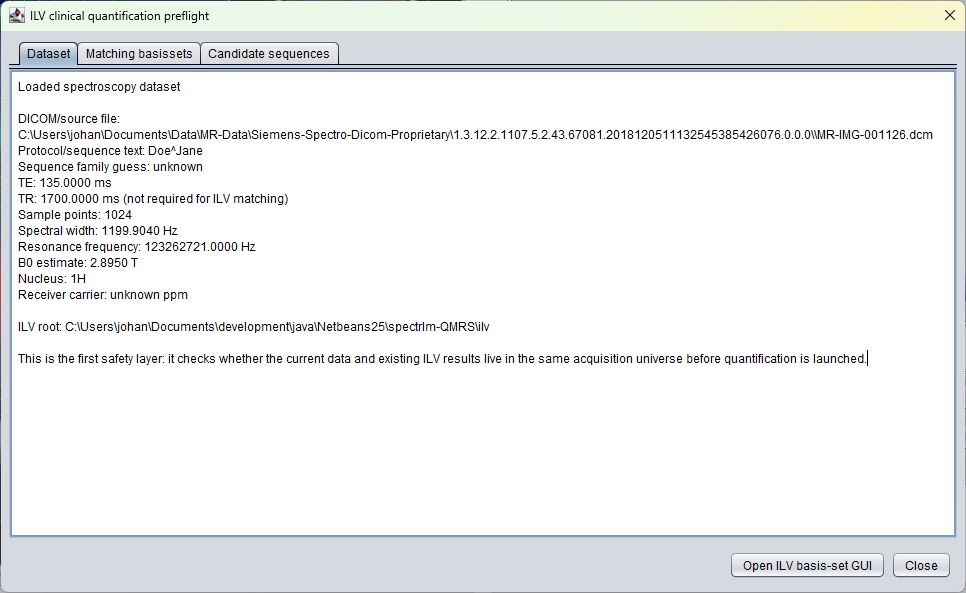
The dataset tab displays the source file and acquisition values extracted from the loaded spectroscopy object. For the Siemens test dataset shown here, the preflight reads a TE 135 ms semiLASER-like acquisition with 1024 sample points, spectral width about 1199.904 Hz, a 1H nucleus, and an estimated field strength close to 2.895 T.
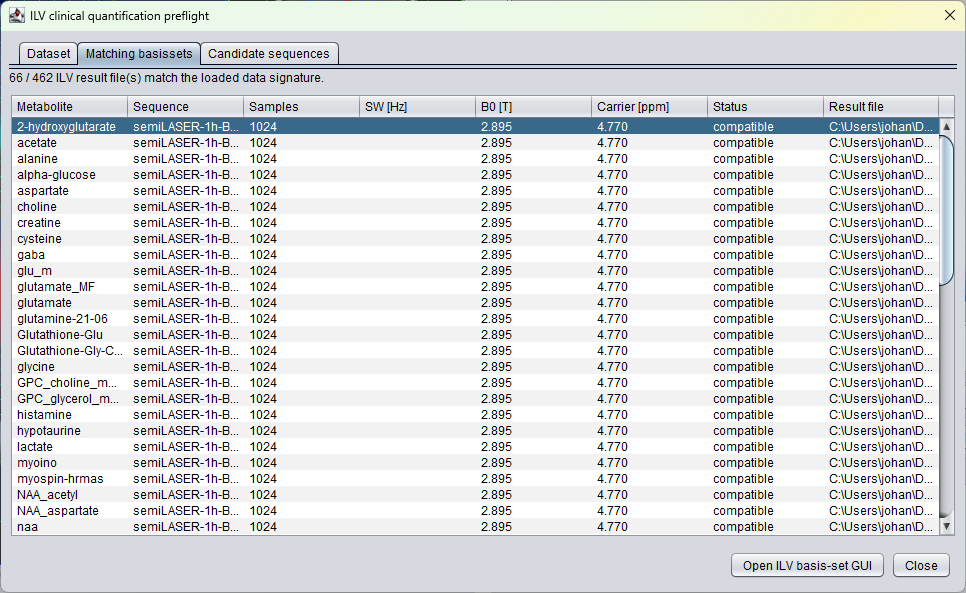
The matching basissets tab lists existing ILV result files that are compatible with the loaded data signature. If a metabolite response was already simulated for the same acquisition settings, it can be reused instead of simulated again.
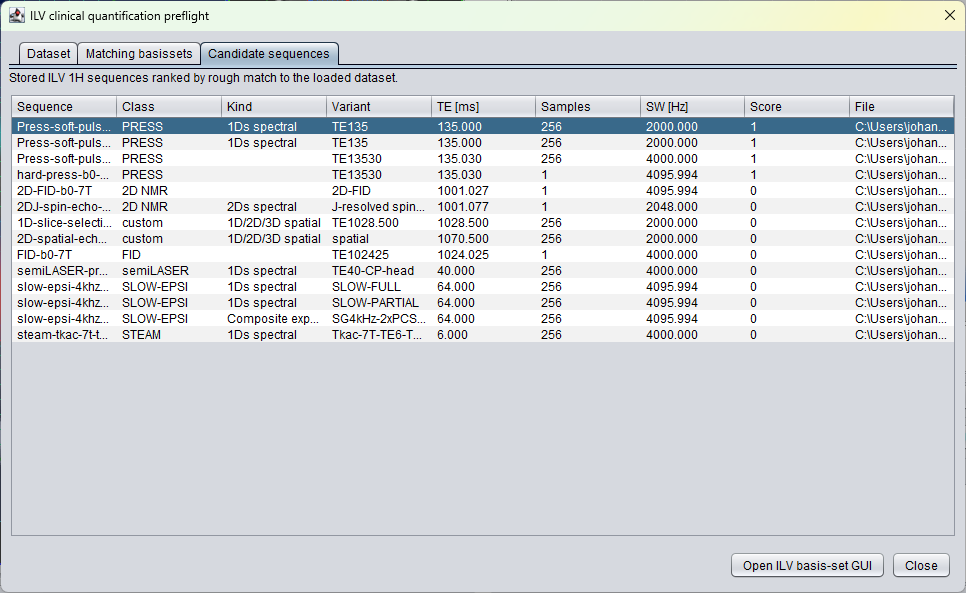
The candidate sequences tab ranks stored ILV 1H sequence definitions by rough match to the loaded dataset. Prototype definitions for semiLASER, PRESS, STEAM, and SLOW-editing can therefore be selected automatically before adaptation.
After a compatible or adapted basis set is available, the simulated metabolite responses can be collected into a TDFDFit model and used by the parallel CPU fitting engine.
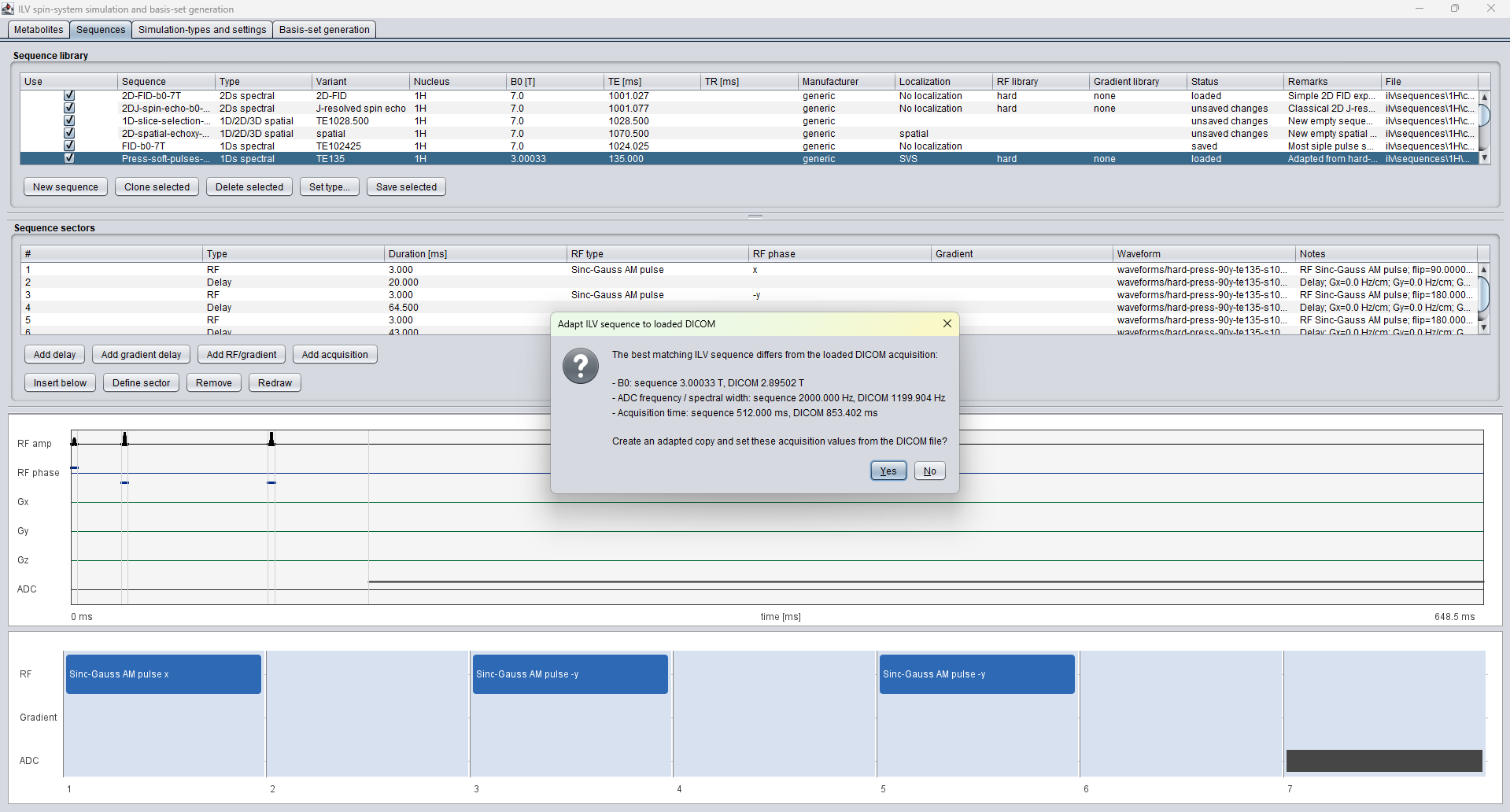
When the user presses Open ILV basis-set GUI, spectrIm-QMRS
opens the ILV spin-system simulation and basis-set generation GUI
with the best candidate sequence loaded. If the prototype sequence
differs from the DICOM acquisition, the user is shown the differences
before a runnable copy is created. The dialog can report differences
in B0, ADC frequency or spectral width, acquisition time, and sample
count. This is important because a basis set simulated for the wrong
acquisition settings can make subsequent TDFDFit quantification
misleading.
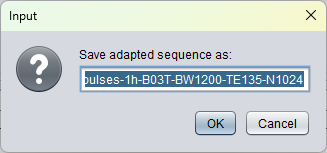
After confirming the adaptation, the user can also confirm the name of the adapted ILV sequence. This keeps the protected prototype sequence intact while creating a clearly named acquisition-specific copy, for example a sequence name that encodes B0, bandwidth, TE, and the number of acquired points. That adapted sequence can then be saved and used to simulate the basis set for the currently loaded DICOM data.
The preflight dialog is intentionally explicit in version 3.0 alpha. It should be interpreted as a safety and development view, not as an extra burden for routine clinical use. The planned clinical mode will perform the same matching, adaptation, and basis-set checks silently once the pipeline is sufficiently validated.