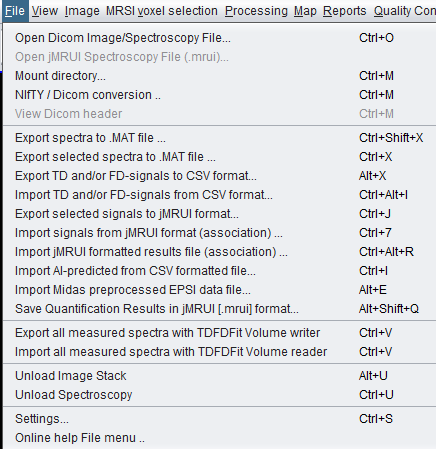
File menu command
The conversion dialog is available from the spectrIm-QMRS File menu as NIfTI / DICOM conversion....
 spectrIm-QMRS
Version 3.0.3 Alpha International
spectrIm-QMRS
Version 3.0.3 Alpha International
Clinical Viewer GUI
spectrIm-QMRS now includes a manual conversion window for exchanging anatomical image data between NIfTI and DICOM workflows. The tool is intended for research and clinical-support workflows where image data must move between neuroimaging tools, DICOM viewers, and spectrIm-QMRS. It is opened from File > NIfTI / DICOM conversion.... A more technical implementation note is available in the NIfTI / DICOM converter README.
The conversion dialog is available from the spectrIm-QMRS File menu as NIfTI / DICOM conversion....
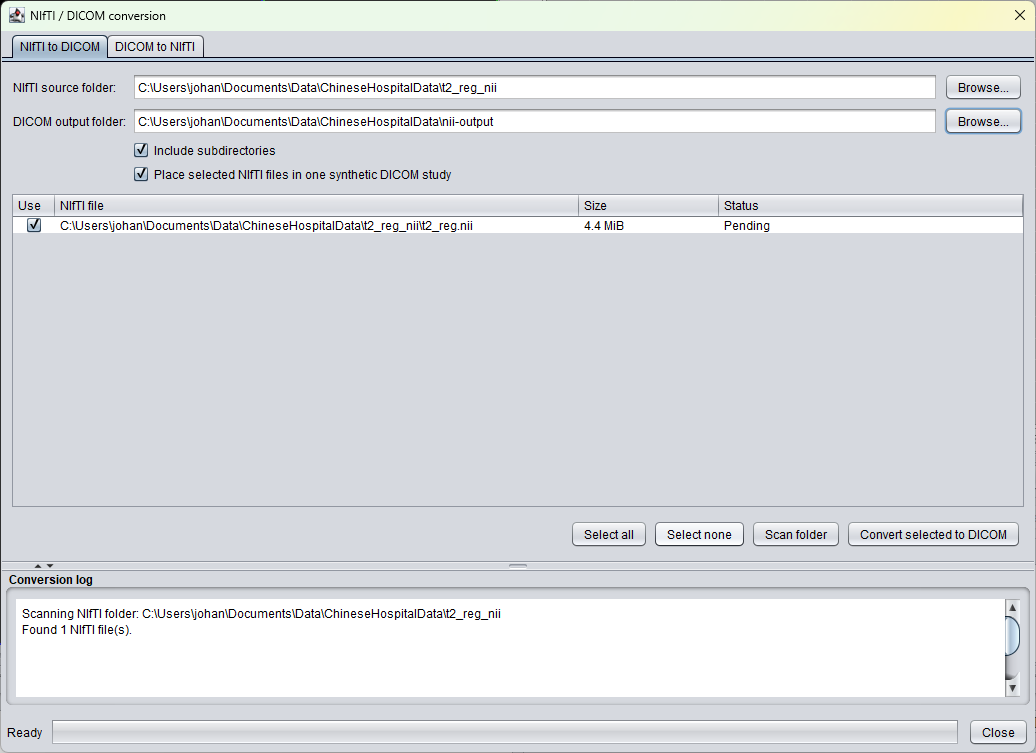
The NIfTI-to-DICOM tab scans a source folder for
.nii and .nii.gz files, lets the
user select which images to convert, and can place selected
NIfTI files into one synthetic DICOM study. When a source
folder is selected, spectrIm-QMRS suggests a nearby DICOM
output folder and remembers the selected paths.
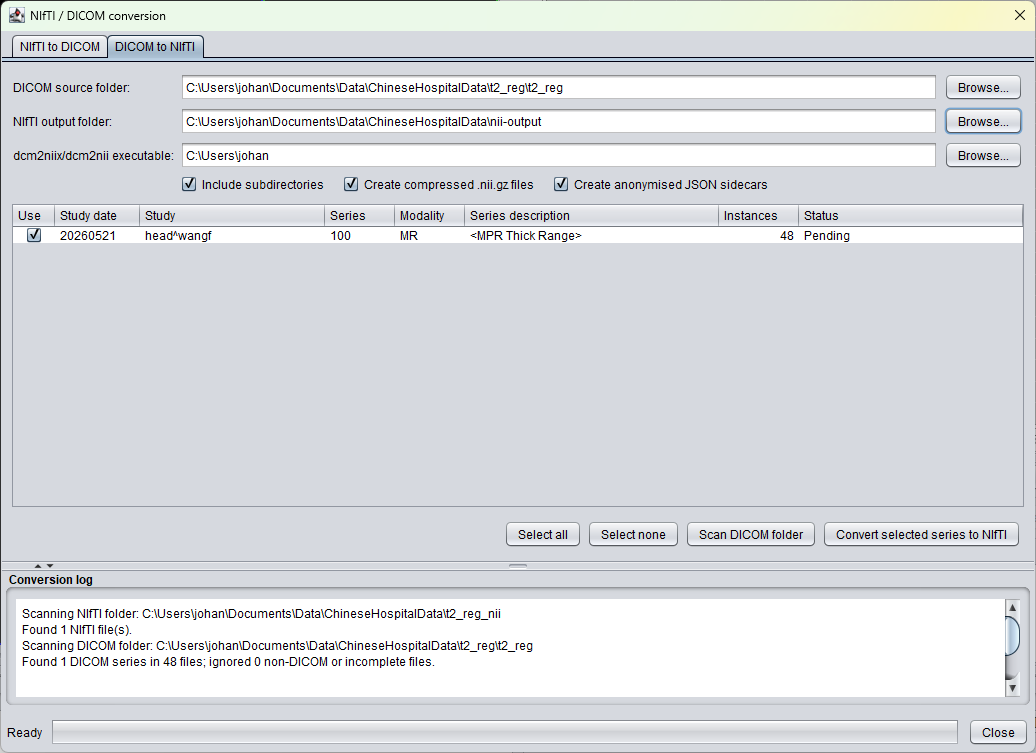
The DICOM-to-NIfTI tab scans a DICOM source folder, groups
detected image instances by study and series, and converts
selected series with an external dcm2niix or
dcm2nii executable. The last source folder,
output folder and converter executable are restored when the
dialog is opened again.
The conversion window has two tabs. NIfTI to DICOM
converts scalar .nii or .nii.gz image
volumes into a classic DICOM slice series. DICOM to
NIfTI scans a DICOM directory, groups the detected image
instances by study and series, and converts selected series to
NIfTI with the external dcm2niix converter.
Converted NIfTI-to-DICOM images are loaded as grayscale image stacks in spectrIm-QMRS, with the viewer opening on a central slice and using a grayscale color table by default.
Select a folder containing NIfTI files. The scan can include
subdirectories and detects single-file NIfTI images with
.nii or .nii.gz extensions. The
DICOM output folder is proposed next to the selected source
folder and can be changed manually.
The converter writes one DICOM file per slice. The DICOM series
is marked as derived/secondary and uses
MONOCHROME2 grayscale image display.
NIfTI RAS orientation information is converted into DICOM LPS image orientation, image position, pixel spacing, slice spacing, and frame-of-reference information.
Scalar voxel intensities are mapped into unsigned 16-bit DICOM pixel data with rescale slope and intercept information so the original intensity range can be represented.
Select a DICOM source folder and scan it. spectrIm-QMRS groups readable DICOM instances by Study Instance UID and Series Instance UID, then shows the detected study date, study description, series number, modality, description, and instance count.
DICOM-to-NIfTI conversion uses dcm2niix. Download
the Windows executable from the official
rordenlab dcm2niix releases
page when an update is needed. The GUI starts with the
bundled relative path bin\nifty\dcm2niix_win,
or with the last executable path selected by the user. The
selected executable path is remembered in the spectrIm-QMRS
settings.
Each selected DICOM series is staged separately before
conversion, so dcm2niix sees only the selected
Series Instance UID. This avoids unintentionally converting
neighboring series from the same directory tree.
Output can be compressed as .nii.gz. When JSON
sidecars are enabled, the converter can request anonymised
metadata sidecars from dcm2niix.
Open the conversion window from the File menu, choose the
conversion direction, scan the source folder, review the detected
files or DICOM series, and convert the selected entries into a
test output folder. The resulting DICOM output can be mounted in
spectrIm-QMRS like any other DICOM directory. The resulting NIfTI
files can be opened directly when they use .nii or
.nii.gz.
For clinical work, converted data should be treated as derived image data. Keep the original acquisition data available and verify geometry, slice order, and display scaling before using converted images in downstream analysis or reporting.
The converter README documents the first-version behaviour, source files, menu integration, external converter path, output layout, and known limitations.
This conversion window is intended for scalar image volumes. It is not a replacement for the dedicated spectrIm-QMRS DICOM MRS(I) loading, TDFDFit, jMRUI, CSV, or MIDAS workflows used for spectroscopy signals and quantification results.