Clinical Cases menu, version 3.0.1 Alpha
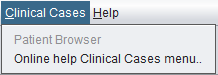
Version 3.0.1 Alpha Clinical Cases menu screenshot.
 spectrIm-QMRS
Version 3.0.3 Alpha International
spectrIm-QMRS
Version 3.0.3 Alpha International
Current release: 3.0.3 alpha international for Windows and Linux. This guide retains earlier screenshots and version-specific descriptions. Their original version labels are preserved; appearance and window placement may differ in 3.0.3. See the release notes.
Clinical Viewer GUI
The Clinical Cases menu is reserved for patient-oriented workflows. In version 3.0.1 Alpha the Patient Browser entry is visible but disabled. Its intended role is to navigate, review, and analyze MRS(I) results that have been obtained and stored in a patient database.
The old website described this menu as the place where patient MRS(I)-related operations would become available after the required clinical and ethical approvals. The version 3.0.1 Alpha interface keeps that direction, but frames it more concretely around a patient browser for clinical use.
The planned patient browser should support navigation through clinical cases, studies, and spectroscopy results. For clinicians, the central purpose is not to expose low-level spectroscopy mechanics, but to make processed MRS(I) results accessible in the clinical context where anatomical images, spectroscopy grids, metabolite maps, quality information, and fitted spectra can be reviewed together.
Version 3.0.1 Alpha Clinical Cases menu screenshot.
Original Clinical Cases menu image from the previous website, kept here to document the transition from the version 2 help content to the version 3.0.1 Alpha documentation.
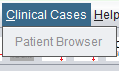
The Patient Browser is intended to become the clinical entry point for navigating patient-database results. It should help clinicians move from a patient or study to the relevant MRS(I) acquisitions, open already processed spectroscopy data, inspect fitted spectra, and review metabolite maps and quality-control information.
The current directory-based browser workflow is documented on the Patient/Study Browser page.
This is especially important when spectrIm-QMRS is used as a clinical research tool: the fitting and preprocessing steps may be performed by predefined processing actions, while the browser should present the resulting information in a way that supports clinical review and comparison across time points, lesions, or selected voxels.
To be defined: describe the exact patient database backend, available search fields, permissions, result status indicators, and the workflow for opening MRS(I) results from a patient record.
In the current Java menu source the Patient Browser menu item is disabled. The action method is already connected to a clinical spectroscopy frame, which suggests that the graphical entry point exists but is not yet enabled for routine use in version 3.0.1 Alpha.
To be checked manually: confirm the enabling conditions for the Patient Browser and whether access should depend on database configuration, clinical-case loading, user role, or ethics/approval status.
The browser could organize cases by patient, study date, examination type, spectroscopy sequence, processing status, and available quantitative results. A clinician should be able to identify the relevant case quickly and open it without manually browsing directories.
For each case, the browser could provide direct access to loaded spectra, fitted TDFDFit results, metabolite maps, selected voxels, quality labels, and report-generation workflows. This would connect the database-oriented clinical view with the existing analysis tools in the Clinical Viewer.
A clinical patient browser should make it clear which data were loaded, which processing action was applied, which model or basis set was used, and whether the result is preliminary, approved for review, or still requires spectroscopist validation.
The previous website explicitly mentioned that content would appear after approval from the competent ethical commission. That remains relevant for documentation that shows real patient data, screenshots, or clinical database workflows.
This page is an initial version 3.0.1 Alpha documentation page. The clinical database schema, browser screenshots, and exact clinical-case workflow should be added once the Patient Browser GUI is enabled and stable enough to document.