spectrIm-QMRS for Windows
3.0.4 alpha international. A self-contained desktop package for MRS and MRSI viewing, processing, simulation and fitting.
Alpha software: thoroughly tested, but bugs may remain. Please read the notes below before use.
New in 3.0.4 alpha: DICOM receiving and cleanup fixes, improved Siemens spectroscopy metadata, Linux HLSVDpro fixes and further workflow improvements. Read the full release notes.
Windows 11 x64
Download the complete ZIP package (approximately 471 MiB). This is the Windows x64 release, not the Linux package.
Download Windows ZIP · SHA-256 checksum
Extract and start
- In File Explorer, right-click the downloaded ZIP and choose Extract All.
- Choose a writable local folder, for example under your home directory. Wait until extraction has finished.
- Open the extracted application folder containing
start_spectrIm.bat. Double-click that file to start the Clinical Viewer. Do not run it from inside the ZIP. - At the initial DICOM-directory question, select your dataset folder or use the configured directory. Keep patient data in storage appropriate to your local data-protection rules.
No separate Java or Python installation is needed. On managed computers, follow your organisation's software approval policy.
If startup or rendering fails
Check that the whole archive was extracted and that the bundled runtime folders remain beside the launcher. For graphics problems, try start_spectrIm_software-rendering.bat in the same folder. When reporting a problem, include the application version, Windows version and the startup log identified by the launcher, with patient-identifying information removed.
SLOW lactate editing on Windows
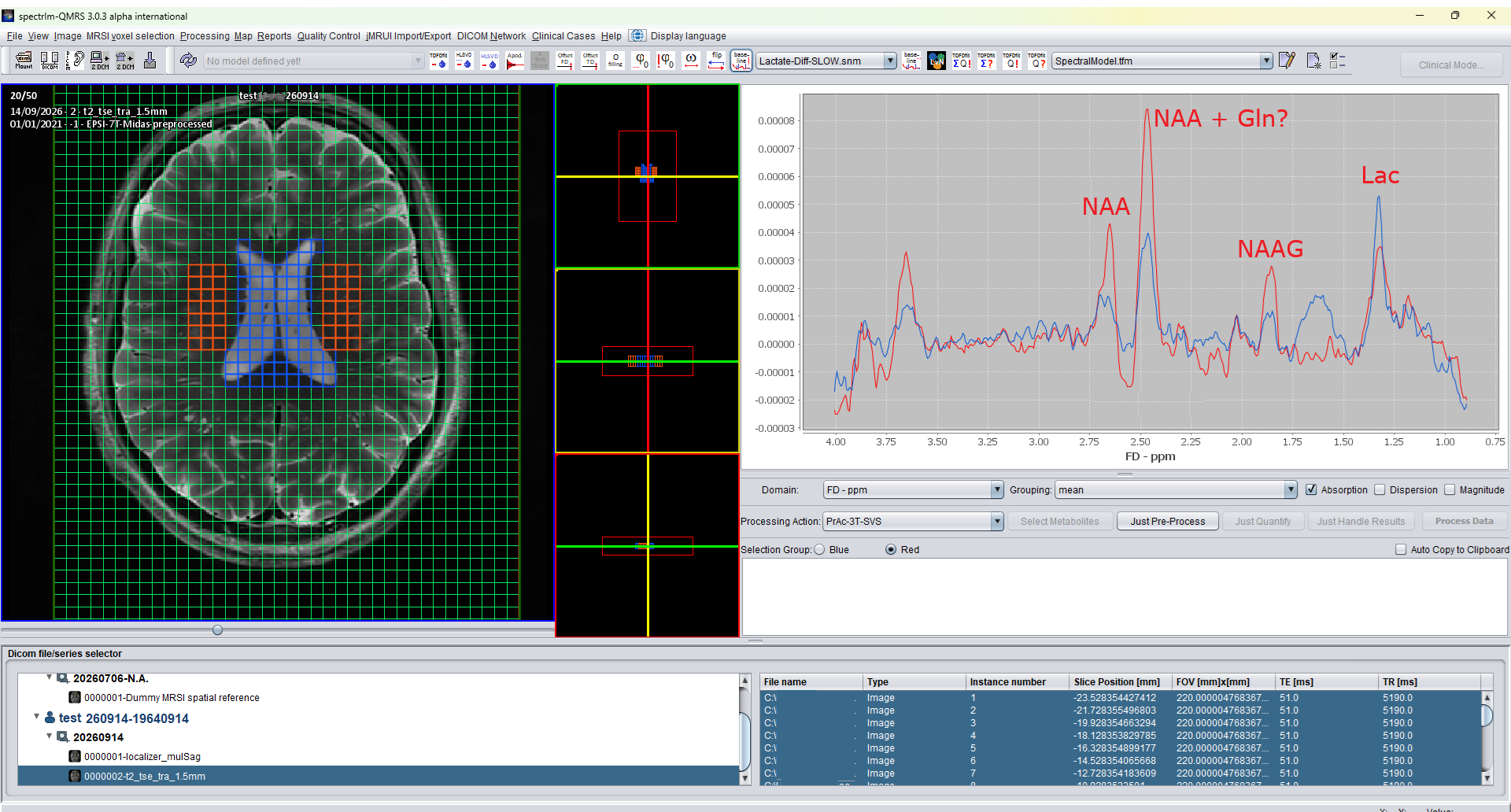
spectrIm-QMRS 3.0.3 alpha international on Windows, demonstrating a new SLOW-editing variant for lactate editing. This patient example shows a detectable lactate signal, labelled near 1.3 ppm, alongside aspartate (Asp) and glutamate/glutamine (Glx).
The patient carries Hb Olympia, a high-oxygen-affinity hemoglobin variant caused by HBB c.61G>A, with the protein change p.Val21Met. This valine-to-methionine substitution increases hemoglobin's affinity for oxygen, reducing its release to tissues. The historical designation is β20(B2)Val→Met: mature beta-globin numbering excludes the initiator methionine, whereas HGVS protein numbering includes it. The initiator methionine is not a signal peptide. See ClinVar's Hb Olympia record and the original functional study.
The spectrum illustrates lactate detection in this case; it does not by itself establish the cause of the lactate signal.
Simplified Chinese interface
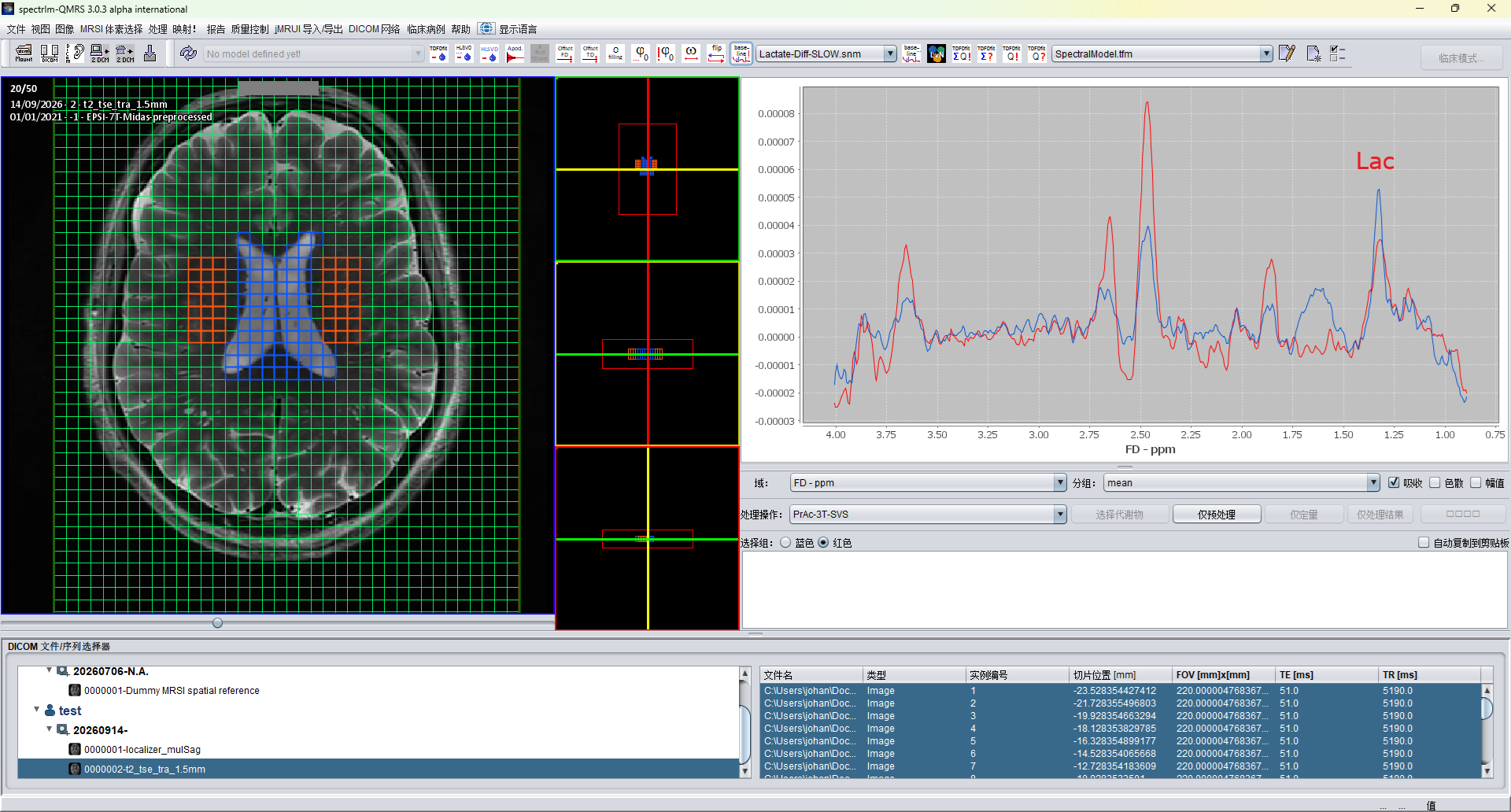
Windows 版 spectrIm-QMRS 3.0.3 alpha international 的简体中文界面,展示了一种用于乳酸编辑的新型 SLOW 编辑方案。此患者示例显示了可检测到的乳酸信号(标注于约 1.3 ppm 处),以及天冬氨酸(Asp)和谷氨酸/谷氨酰胺(Glx)信号。图中的身份识别信息已遮盖。
该患者携带 Hb Olympia,这是一种高氧亲和力血红蛋白变异,由 HBB c.61G>A 引起,对应的蛋白质变化为 p.Val21Met。缬氨酸被甲硫氨酸替代后,血红蛋白对氧的亲和力增加,向组织释放氧的能力降低。其传统命名为 β20(B2)Val→Met:成熟 β 珠蛋白的编号不计入起始甲硫氨酸,而 HGVS 蛋白质编号则将其计入。起始甲硫氨酸并非信号肽。参见 ClinVar 的 Hb Olympia 记录及原始功能研究。
该频谱展示了此病例中的乳酸检出,但仅凭此频谱无法确定乳酸信号产生的原因。
Hindi interface
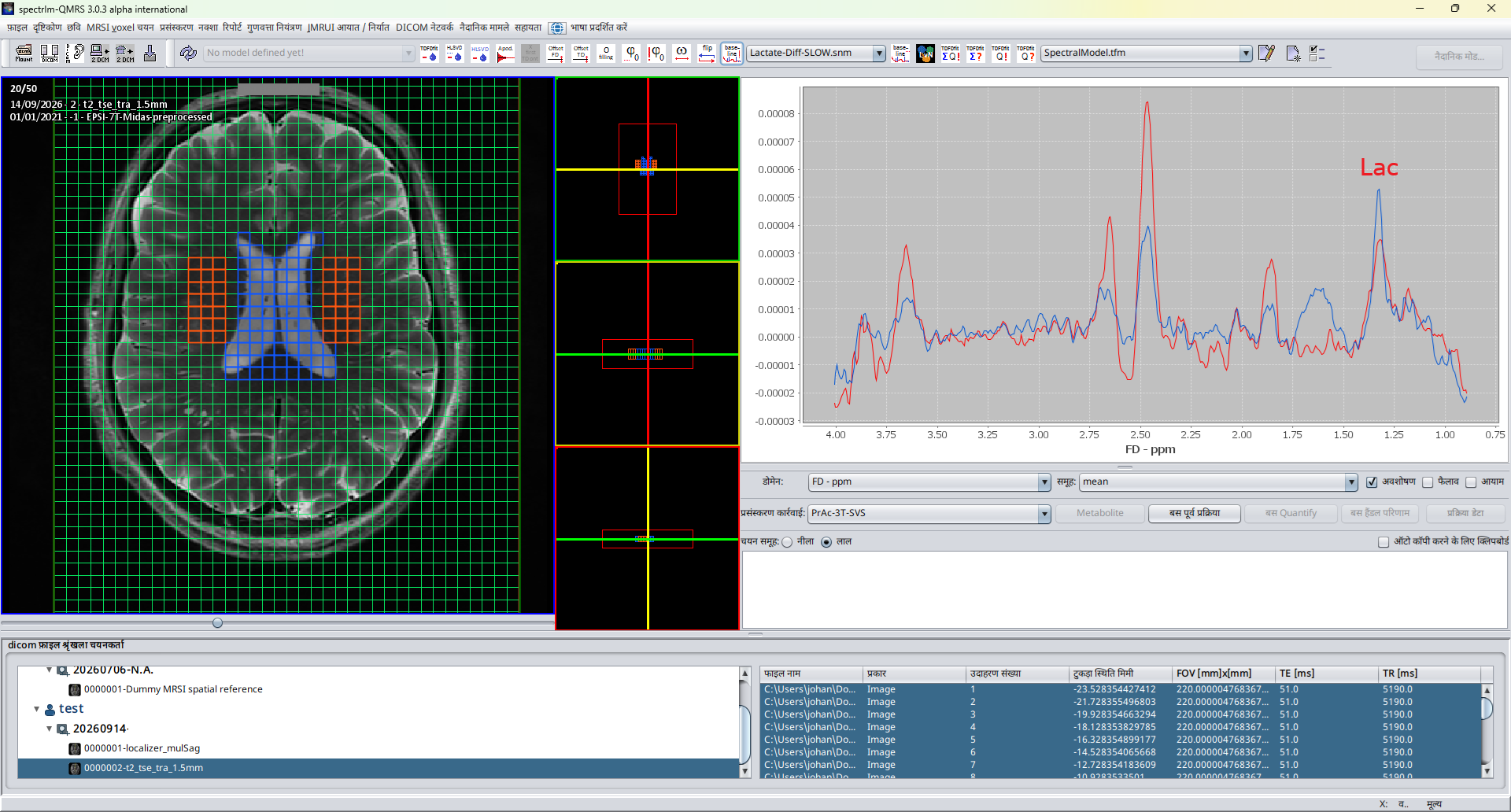
Windows पर spectrIm-QMRS 3.0.3 alpha international का हिंदी इंटरफ़ेस, जिसमें लैक्टेट एडिटिंग के लिए SLOW एडिटिंग का एक नया प्रकार दिखाया गया है। इस रोगी के उदाहरण में लगभग 1.3 ppm पर चिह्नित लैक्टेट संकेत के साथ एस्पार्टेट (Asp) और ग्लूटामेट/ग्लूटामिन (Glx) के संकेत दिखाई देते हैं। चित्र में पहचान संबंधी जानकारी ढक दी गई है।
इस रोगी में Hb Olympia पाया गया है। यह ऑक्सीजन के प्रति उच्च बंधन-क्षमता वाला हीमोग्लोबिन प्रकार है, जो HBB c.61G>A परिवर्तन के कारण उत्पन्न होता है; संबंधित प्रोटीन परिवर्तन p.Val21Met है। वैलीन की जगह मेथियोनीन आने से हीमोग्लोबिन की ऑक्सीजन के प्रति बंधन-क्षमता बढ़ जाती है और ऊतकों में ऑक्सीजन छोड़ने की क्षमता कम हो जाती है। इसका ऐतिहासिक नाम β20(B2)Val→Met है: परिपक्व बीटा-ग्लोबिन की क्रमांकन पद्धति में आरंभिक मेथियोनीन को नहीं गिना जाता, जबकि HGVS प्रोटीन क्रमांकन में इसे शामिल किया जाता है। आरंभिक मेथियोनीन कोई सिग्नल पेप्टाइड नहीं है। ClinVar में Hb Olympia का विवरण और मूल कार्यात्मक अध्ययन देखें।
यह स्पेक्ट्रम इस मामले में लैक्टेट की पहचान दर्शाता है; केवल इस स्पेक्ट्रम से लैक्टेट संकेत का कारण निर्धारित नहीं किया जा सकता।
Included, ready to use
The complete package includes the application, a platform-specific Java runtime, Python 3.12 with NumPy and SciPy, and the native ILV simulator and pthreads TDFDFit engine. You do not need to install Java or Python separately for these bundled workflows. Keep the runtime, bin, dist, lib and other supplied folders together; do not launch an isolated JAR or replace the bundled numerical libraries.
Alpha release notice
3.0.4 alpha international is still an alpha version. Although thoroughly tested in our workflows on Windows 11 and Ubuntu 22.04 under WSLg, it may contain bugs. Back up existing data, models and settings before upgrading, and verify processing results. Testing does not imply that every configuration or workflow is bug-free.
See the 3.0.4 release notes and major fixes, Clinical Viewer guide and example datasets.
Existing users
Extract this release into a new folder rather than overwriting an older installation. Your working data and settings may live outside the application folder; keep them backed up. Users upgrading from v2 should preserve and rename the old .SpectrImClinicalBoot directory, for example to .SpectrImClinicalBoot_v2_backup, before starting v3.
Previous releases: 3.0.3 alpha international (Windows and Linux), 3.0.2 alpha international, 3.0.1 alpha, and the older release archive.