Load a spectrum
Open a representative MRS or MRSI dataset in the Clinical Viewer and select a spectrum suitable for model construction.
 spectrIm-QMRS
Version 3.0.3 Alpha International
spectrIm-QMRS
Version 3.0.3 Alpha International
Current release: 3.0.3 alpha international for Windows and Linux. This guide retains earlier screenshots and version-specific descriptions. Their original version labels are preserved; appearance and window placement may differ in 3.0.3. See the release notes.
Expert and legacy workflow
This page preserves and updates the old spectrIm-QMRS walkthrough for loading simulated MRUI basis-set components into the TDFDFit modelling frame. It is mainly intended for spectroscopists and NMR/MR spectroscopy knowledgeable users who want to build or inspect a prior-knowledge model manually.
Version 3.0.1 Alpha adds a new ILV basis set simulator and an automatic TDFDFit model creator. Clinical users should normally start with those guided workflows. The MRUI numeric-pattern import route remains useful when an expert wants to reuse externally simulated basis spectra or reproduce older model definitions.
TDFDFit models can contain numeric spectral patterns. In the old workflow these patterns were often created outside spectrIm-QMRS, saved in MRUI format, and imported into the TDFDFitControl frame. Each imported pattern represents a simulated metabolite response or another model component that can be fitted to measured spectra with prior knowledge constraints.
The important idea is still current: a fitting model should contain basis components that match the measurement conditions of the data to be quantified. In v3, those basis components can now also be generated inside the spectrIm-QMRS ecosystem using ILV-based simulation for the loaded dataset.
Open a representative MRS or MRSI dataset in the Clinical Viewer and select a spectrum suitable for model construction.
Use Processing > Create new TDFDFit model...
or edit an existing TDFDFit model from the Processing menu.
In TDFDFitControl, add one or more numeric patterns from MRUI files and review the imported model components.
Optimize the model, inspect whether the fit and constraints are plausible, then save the model for later TDFDFit fitting.
The old website showed the TDFDFitControl frame being opened from the main spectrIm-QMRS window. A loaded spectrum is used as the prototype signal against which the model is created and optimized.
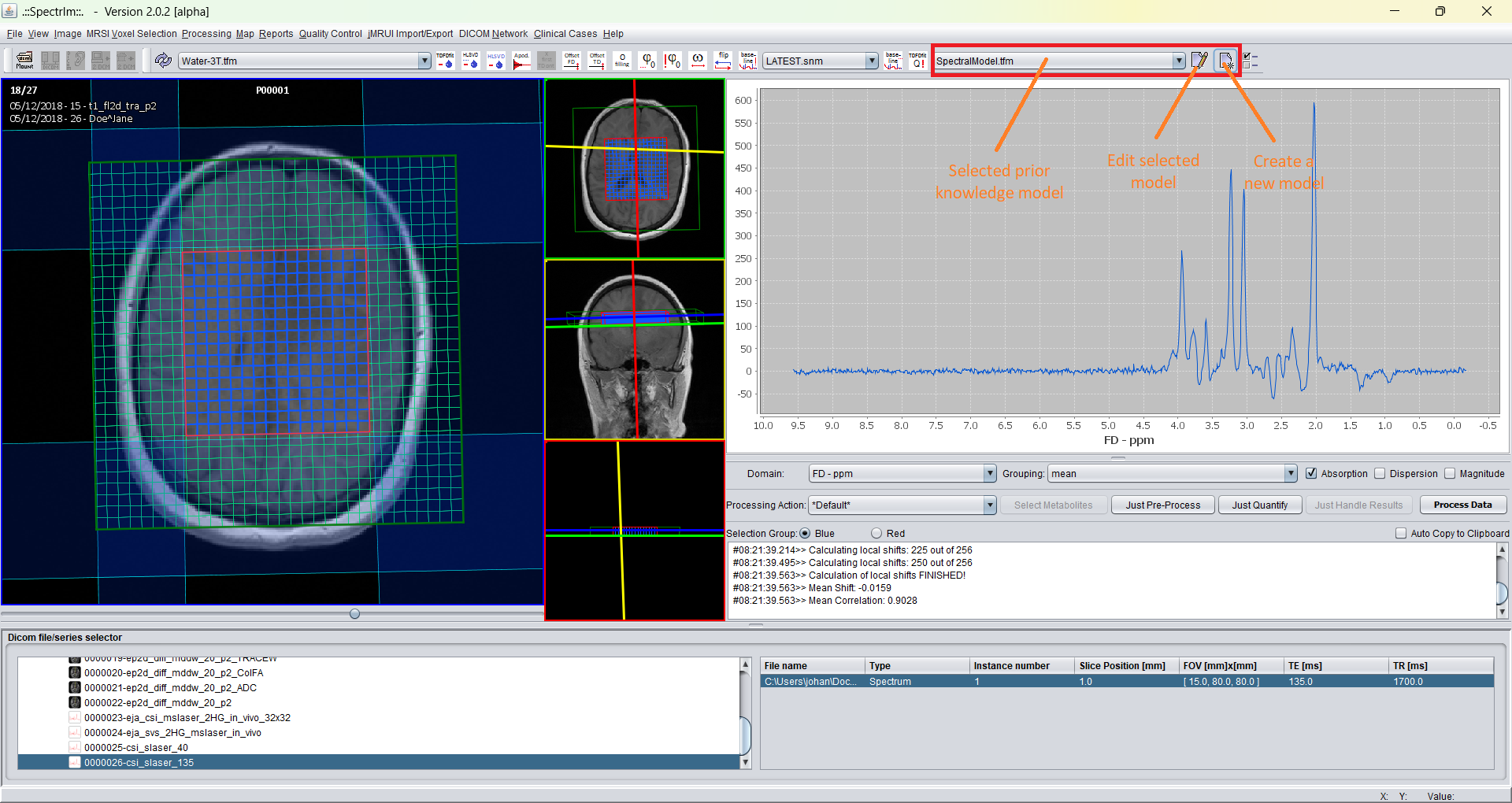
In version 3.0.1 Alpha the same expert entry point is available from the Processing menu. The workflow is suitable when the user wants direct control over the prior-knowledge model rather than an automatically generated model.
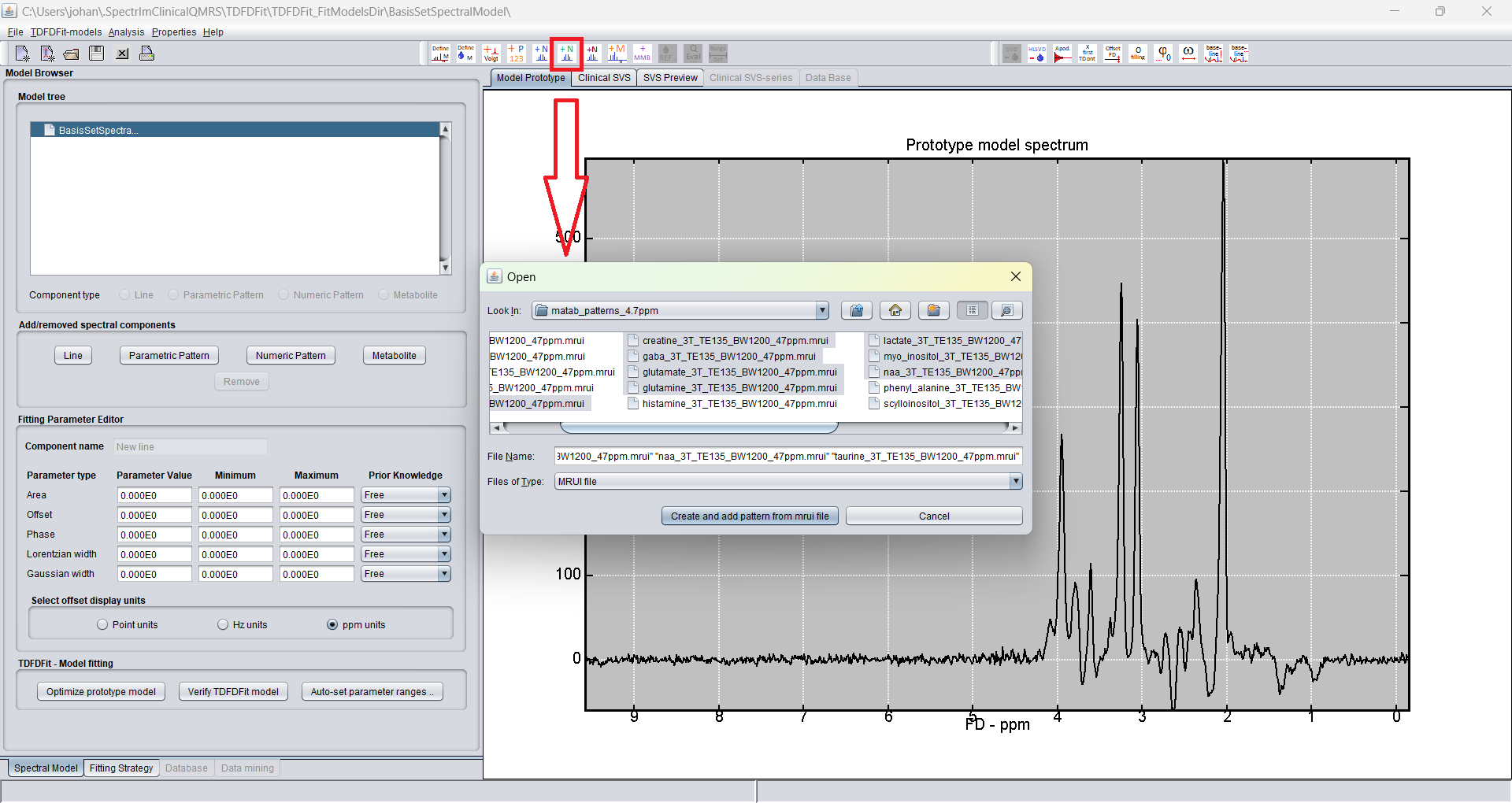
In the TDFDFitControl frame the command Add numeric pattern from
mrui file opens a file browser. One or multiple simulated
metabolites from an MRUI basis set can be selected. These imported
responses become numeric pattern components in the TDFDFit model.
The v2 documentation stated that basis sets had to be simulated outside spectrIm-QMRS. That is now outdated. In v3, externally generated MRUI patterns can still be imported, but new basis sets can also be generated through the integrated ILV basis set simulator.
After import, the model tree contains the selected numeric patterns. The expert user should check that the model components correspond to the correct nucleus, field strength, pulse sequence, echo time, spectral width, number of points, and ppm convention of the measured dataset.
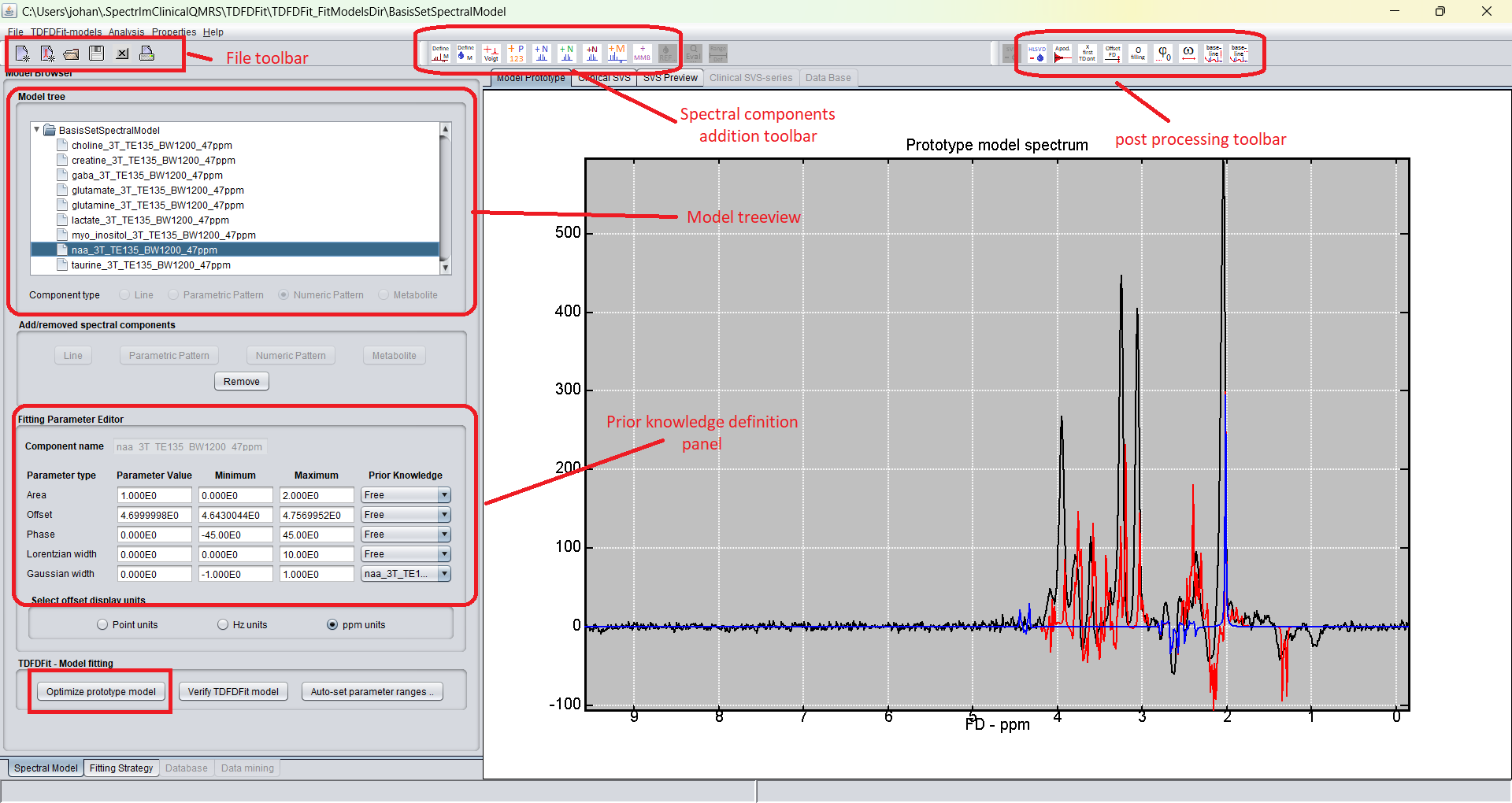
This inspection step is not cosmetic. A basis set that was simulated for the wrong sequence or echo time can fit visually while producing biased quantification. The model should therefore be treated as a scientific object with assumptions that are documented and reviewed.
The imported basis-set model is fitted to the prototype spectrum. The result should be inspected before the model is reused for a full MRSI grid or clinical case. The prototype fit helps reveal missing basis components, inappropriate starting values, wrong scaling, or constraint choices that are too restrictive or too loose.
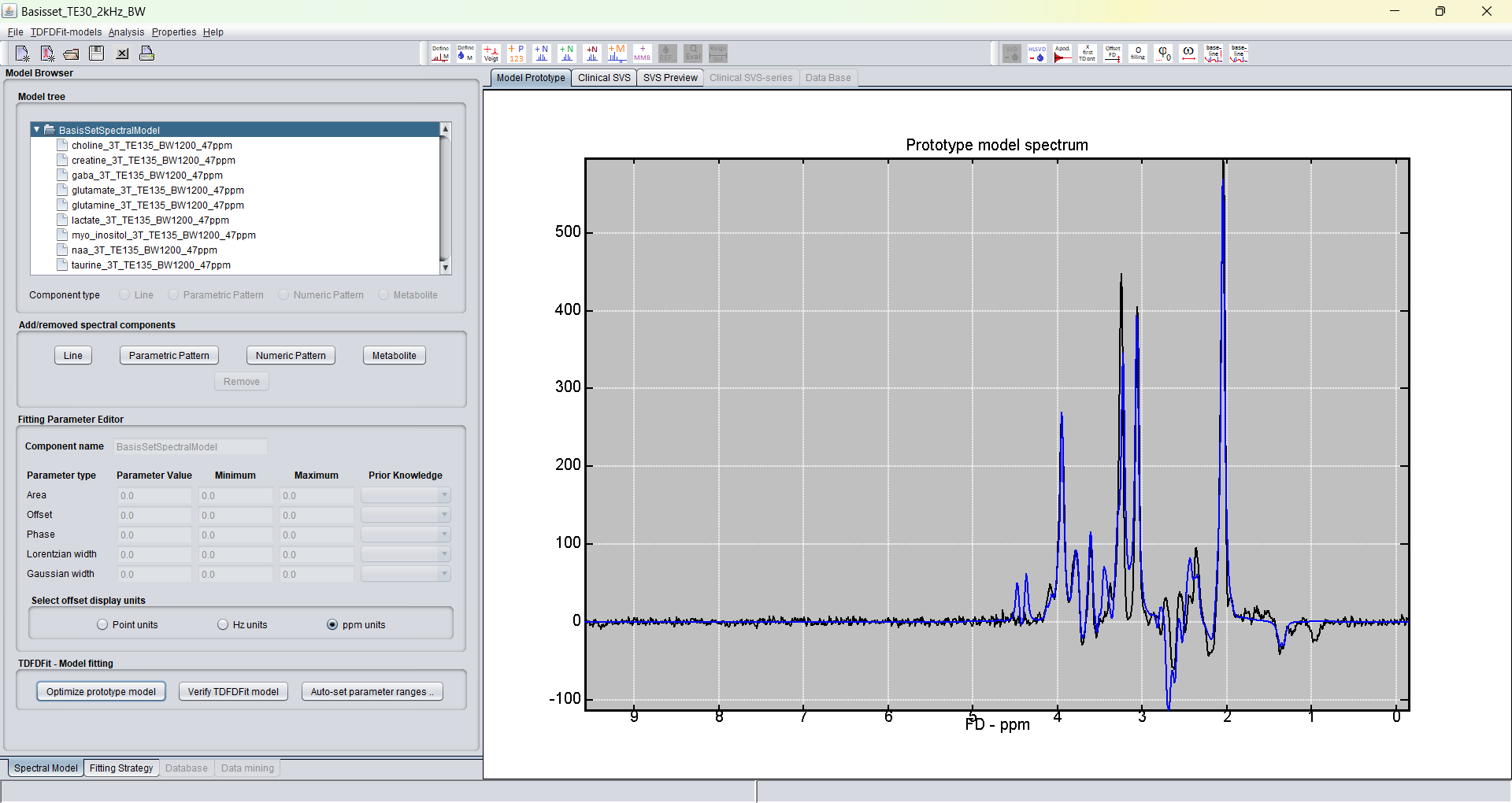
Once the model is satisfactory, it can be saved and applied with the standard TDFDFit workflow or with the version 3.0.1 Alpha parallel pthreads-TDFDFit CPU fitting route.
To be checked manually: these screenshots come from the older website and should eventually be replaced by v3 screenshots if the current TDFDFitControl layout has changed.
The manual basis-loading route and the automatic model creator serve different users. The manual route exposes the model construction details and is appropriate for spectroscopists who want to curate the basis set and prior knowledge directly.
The automatic route is intended to lower the entry barrier for clinical use. It detects the signal type, creates a valid basis set for the loaded dataset, and adds it to a TDFDFit model without requiring the user to manage MRUI files manually.